
Visual Intelligence
Visual Asset Management in the Age of Generative AI
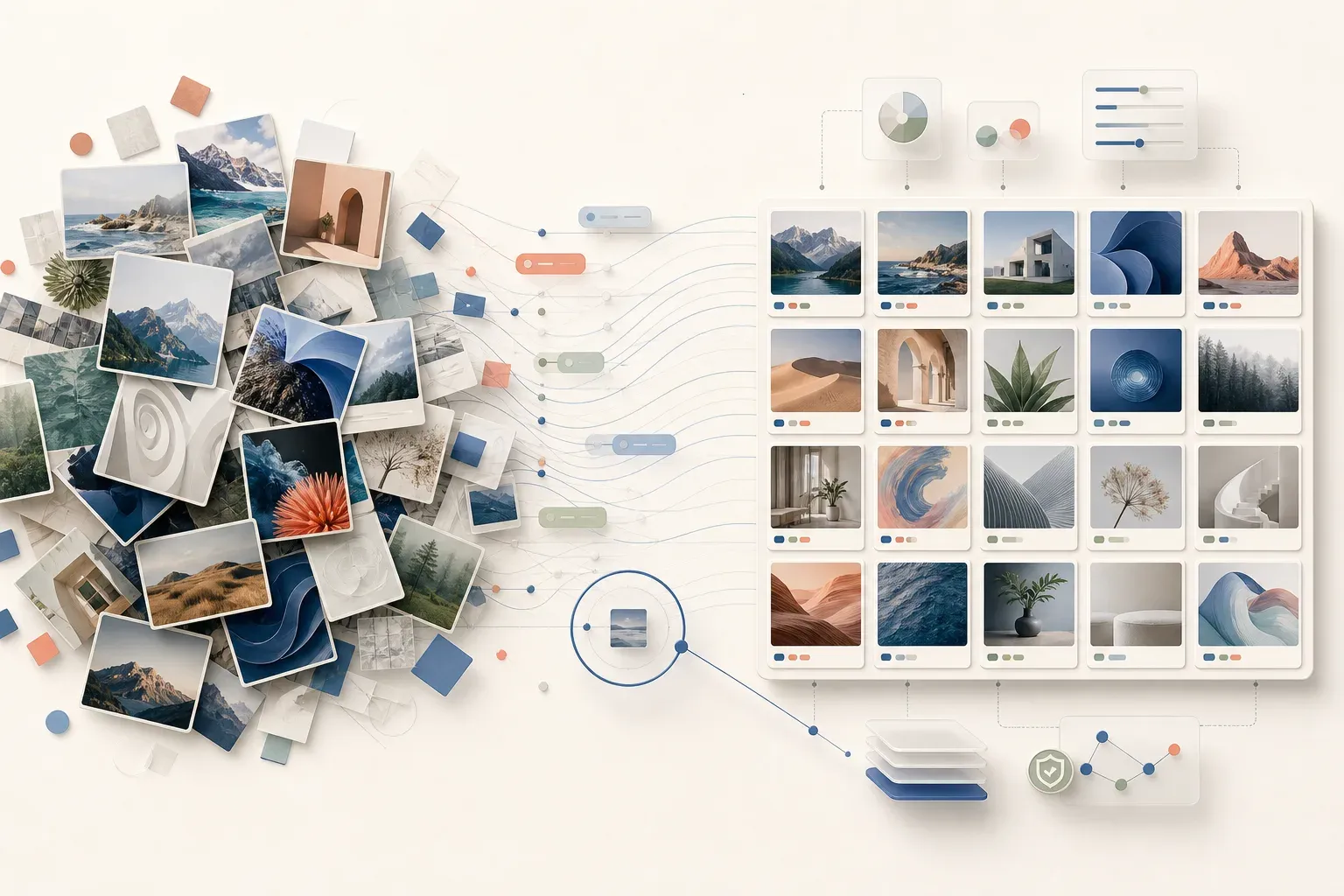
Generative AI is changing the volume and variety of images that teams handle. Campaign variations, product concepts, social content, source photography, and AI-generated images can all enter the same library in a short period of time. The result is not simply more content. It is a new visual-management problem.
If people cannot understand what the collection contains, find the right asset, or make clear decisions about how it should be used, the value of every new image falls. This is where visual asset management becomes essential.
This guide explains how to build a useful visual library for an AI-enabled content operation. The goal is not to separate human-made and AI-generated images into disconnected worlds. It is to make the whole collection understandable, searchable, and governable.
What is visual asset management?
Visual asset management is the practice of organizing, enriching, finding, and controlling the use of images and other visual assets across a team or organization.
At its best, it is more than a folder structure or a storage location. It creates a shared understanding of a visual collection by connecting every asset with meaningful information: what it shows, where it belongs, how it can be found, and the context a team needs to use it responsibly.
For image libraries, that foundation has three connected parts:
- Understand what the collection contains, including its subjects, visual characteristics, quality, and gaps.
- Find the right assets through natural language, image references, metadata, and structured filters.
- Govern access, licenses, metadata, organization, and decisions made across the asset lifecycle.
These capabilities matter whether an image began as a studio photograph, a campaign export, an archive scan, or a generative-AI creation.
Why this matters now
The content operation is becoming a mixed environment. Generative AI can accelerate ideation and production, but it also creates more variations to evaluate, name, store, retrieve, and reuse. At the same time, an organization’s existing image library often contains valuable material that is difficult to see because it is poorly described or scattered across folders.
Industry research is increasingly framing asset management as part of the intelligent content operation, not a back-office repository. Gartner describes DAM platforms as an intelligent backbone for enterprise content operations, while Adobe’s 2026 digital-trends research highlights the need to make existing assets machine-readable and discoverable as AI scales across the content supply chain. Gartner and Adobe both point to the same operational shift.
For teams, the question is no longer only, “How do we create more?” It is, “How do we make every visual asset useful after it is created?”
The hidden cost of an unstructured image library
An unstructured library creates friction in places that are easy to miss:
- Creative teams recreate work because the original cannot be found.
- Marketers choose an available image instead of the right image.
- Archive, press, and content teams cannot see patterns across a collection.
- Valuable rights, usage, and contextual information stays disconnected from the asset it describes.
- AI-generated images add volume without adding clarity.
The cost is not only storage. It is the time spent searching, the quality of decisions made with incomplete context, and the unrealized value of visual assets a team already owns.
A practical framework for managing existing and AI-generated images
1. Start with one library, not two disconnected ones
Treat existing assets and generative-AI content as parts of one intelligent library. Keeping them together makes it possible to search across the full visual record, compare related material, and avoid creating a second discovery problem.
That does not mean removing important distinctions. Teams should record the information that matters to their workflow, including creation context, campaign, usage constraints, approval context, or whether an asset is AI-generated. The point is to preserve clarity without making people search several systems.
Where VisioClarity can help: keep existing and AI-generated images in the same searchable collection while recording the creation context and other distinctions that matter to your workflow.
2. Make meaning available at ingest
Metadata is what turns a file into an asset that can be understood and found. A practical metadata approach combines information already attached to an image with information that helps a specific team work with it.
For example, a collection may need campaign, product, market, license, photographer, subject, or usage information. An archive may prioritize provenance, date, location, condition, and historical context. The right schema is the one that reflects how the collection will be searched and used.
Automated enrichment can help build a useful starting point at scale. Titles, descriptions, categories, detected objects, technical details, and visual analysis make a large image collection easier to explore. Human context still matters, especially when a team needs domain-specific metadata.
Where VisioClarity can help: use automated image analysis and metadata enrichment to create a first layer of meaning at ingest, then add collection-specific context with custom metadata fields.
3. Design discovery for how people actually search
People do not always know a file name or the exact keyword used years ago. They may remember a mood, a subject, a color, an image composition, a location, or another image that feels similar.
An effective visual-search experience should support both sides of that behavior:
- Precise retrieval through metadata, attributes, and structured facets.
- Exploratory retrieval through semantic text search, visual references, and similar-image discovery.
This combination lets a user narrow a search deliberately when the criteria are known, then explore by meaning or visual intent when they are not.
Where VisioClarity can help: combine semantic text search, image references, similar-image discovery, and structured facets so people can move from an imprecise idea to a useful result without knowing the original filename.
4. Use collection intelligence to make better decisions
Visual asset management should help a team see the collection as a whole, not only open individual files. Analytics and visual summaries can reveal the makeup of a library: common categories, detected objects, color patterns, formats, visual quality signals, and growth over time.
That broader view helps teams identify duplicate assets, understand content coverage, prioritize cleanup, and recognize where a library needs better context. It also creates a more informed starting point for new content, including AI-generated variations.
Where VisioClarity can help: use collection analytics and visual summaries to understand patterns across the library, surface duplicates, and decide where additional metadata or review will have the most value.
5. Make governance part of everyday work
Governance does not need to be a separate compliance project that begins after the library is already chaotic. It begins with practical controls around who can access collections, how assets are organized, and which metadata stays attached to the asset.
For visual collections, useful governance may include workspaces and collections for operational separation, access segmentation, licenses, consistent metadata structures, and detailed asset records. These basics make it easier to preserve context as the library grows.
Where VisioClarity can help: connect workspaces, collections, access segmentation, licenses, and detailed asset records so governance stays close to everyday discovery instead of becoming a separate afterthought.
What to look for in a visual asset management platform
When assessing a platform, focus on how well it connects understanding, discovery, and control. A capable solution should help teams:
- Analyze a large image collection rather than merely store it.
- Enrich assets with descriptive and technical metadata.
- Search by natural language, image reference, metadata, and facets.
- Organize assets through workspaces, collections, and folders.
- Apply metadata structures that fit different industries and workflows.
- Review duplicates and visually similar assets.
- Manage access and keep relevant license information with the library.
- Scale useful visual intelligence without forcing an inflated platform cost.
The last point deserves attention. A platform becomes less useful when the cost of processing and managing a growing library makes teams limit what they can bring into it. The strongest visual-management strategy is one that combines broad capability with sustainable economics.
How VisioClarity helps teams create clarity
VisioClarity is built to turn large image libraries into structured, searchable, and actionable knowledge. It brings together image analysis, automated metadata enrichment, semantic and multimodal search, collection analytics, and digital asset management workflows.
That means teams can understand what they own, find assets through text, image references, metadata, and visual facets, and govern how collections are organized and accessed over time. Existing images and AI-generated content can live in the same library while remaining clear and usable in context.
The result is not just a larger archive. It is a visual library that can support faster discovery, more informed reuse, and better asset decisions as content volume grows.
Frequently asked questions
Is visual asset management the same as digital asset management?
Digital asset management, often called DAM, is the broader discipline of organizing and operating digital files. Visual asset management focuses on the particular needs of image collections, including visual understanding, image search, metadata, and image-specific analysis. A modern platform can bring both together.
Should AI-generated images be kept separate from existing assets?
Usually, no. Keeping them in one searchable library makes the full collection more useful. The important requirement is to retain the metadata and context that let teams identify, filter, and manage each asset appropriately.
Why is metadata important for image search?
Metadata gives images meaningful context that a file name or folder path cannot provide. It supports precise filtering and helps teams understand what an asset represents, how it can be used, and where it belongs. Combined with semantic and visual search, it makes retrieval both more accurate and more flexible.
How can a team begin improving a chaotic visual library?
Start with a defined collection and a small set of questions people need to answer. What do we own? What do people search for? Which context must stay with each asset? Use those answers to establish a useful structure, metadata approach, and search workflow. Then expand from that foundation.
Turn visual volume into visual clarity
The future of content operations is not about choosing between established assets and AI-generated ones. It is about making every asset easier to understand, find, and govern.
Contact us to see how VisioClarity can turn your image library into visual intelligence.